You open Instagram, upload a great photo, and then freeze. The caption box stares back at you. Sound familiar? Many of us have been there. That’s why so many people search for a way to copy instagram caption text in seconds. The good news is simple. You don’t need to be a writer or a tech expert.
This guide gives you 150+ ready-to-post captions that you can grab now. It also shows you how to use the copy link trick on iPhone, Android, and desktop. You’ll learn how to keep your line breaks, where to place hashtags, and when a caption generator beats a copied line. Ready to post faster?
Best Instagram Captions to Copy and Paste

Good Instagram captions are short, warm, and easy to use. They fit almost any photo, from a selfie to a taco plate. Think of them as ready-to-post lines that you keep in your back pocket. Save the ones you like. You’ll thank yourself later.
Top 25 captions you can post today
Here’s a mix of social media captions for captions for selfies, food, travel, and captions for friends. Each one works as a quick template. Add a specific detail like your city or your coffee order.
| Caption | Caption |
| 😂 Same me, new post. | 💅 Good light, better company. |
| 🌿 Small moment, big smile. | 😂 Proof I left the house. |
| 💅 Unbothered and glowing. | 🌿 Nothing planned, everything enjoyed. |
| 😂 Plot twist: I had fun. | 🌿 Here for the good bits. |
| 💅 Main character, zero script. | 😂 Posting before I overthink it. |
| 🌿 Collecting little joys. | 💅 Take two, no notes. |
| 😂 Low effort, high spirits. | 🌿 Made it to the weekend. |
| 💅 Confidence looks good on me. | 😂 Ordinary day, extraordinary snack. |
| 🌿 Happy, home soon. | 💅 Softly dangerous. |
| 😂 Dinner was the main event. | 🌿 Road trip mode: on. |
| 💅 Dressed up with nowhere to go. | 😂 Squad goals, snack edition. |
| 🌿 Good people, good food. | 💅 Eyes up, chin high. |
| 😂 Brunch is my love language. |
How to pick the right caption for your photo
Match your vibe to your picture. A calm beach shot suits a soft mood. A group photo loves a joke. Ask yourself one thing. What did this moment feel like? Your answer points to the right theme, and your followers will feel it too.
Short Instagram Captions to Copy and Paste
Short Instagram captions read fast. They never hide behind the “more” button. On a phone, people only see the first line or two. So a tight line gets seen every time. These short captions also fit stories, reels, and quick feed posts.
20 short captions under eight words
| Caption | Caption |
| Just vibing. | Easy does it. |
| Golden hour glow. | Weekend mode. |
| Good day, good mood. | Coffee first. |
| Sunshine state of mind. | Simply happy. |
| Out and about. | Fresh start. |
| Living for this. | Mood: grateful. |
| Pure joy. | Keep it simple. |
| Today’s best part. | Right here, right now. |
| Feeling lucky. | Chasing the light. |
| Calm and bright. | All smiles. |
Why short captions perform well on mobile
Most people swipe fast. Instagram usually shows only the first 125 characters or so before it cuts the text. A short line avoids that cutoff. Readers see your whole thought. That can nudge more comments and better engagement. Here’s a quick guide to length and use.
| Caption length | Best for |
| 1–4 words | Selfie, story, mirror shot |
| 5–8 words | Product photo, travel shot |
| 9–20 words | Reel, group photo |
| 20+ words | Personal updates, launches |
Viral and Reel Captions to Copy and Paste
Viral Instagram captions make people share, save, and send to the group chat. They use a strong rhythm and a clear hook. These lines below are original. They borrow the trend style without copying anyone’s exact words.
15 viral-style captions built for shares
| Caption | Caption |
| Not to brag, but this was my best move all week. | If you’re reading this, drink some water. |
| Main character energy, background character budget. | Me before coffee versus me after coffee. |
| The algorithm wanted a post. Here you go. | Posting this so future me remembers today. |
| Save this caption. You’ll need it later. | Tag the friend who talked you into this. |
| Not a phase. A whole personality. | My camera roll is 90% this angle. |
| Rating today 10 out of 10. Would repeat. | Somewhere between “I’m fine” and “book the trip.” |
| Delete later? Absolutely not. |
10 Reel captions that boost watch time
Reel captions do a different job. They set up the video and give people a reason to watch twice. Use a hook in line one. Add a comment prompt at the end. Also add a few keywords, since Instagram search reads your text.
| Caption | Caption |
| Wait for it. | Sound on for this one. |
| POV: you finally figured it out. | Rewatch and tell me what I missed. |
| Comment “yes” if you’d try this. | Full tutorial in the pinned comment. |
| One take, zero regrets. | Trend done, dignity intact. |
| Made this instead of sleeping. | Every step, no skips. |
Aesthetic and Cute Instagram Captions to Copy and Paste
Aesthetic captions feel soft and calm. They often use lowercase letters and few words. Cute captions feel warm and sweet. Together they suit lifestyle feeds, couples, and pet lovers. Pair them with a matching color palette for a polished look.
15 aesthetic lowercase captions
| Caption | Caption |
| soft light, slow days | a quiet kind of happy |
| collecting small joys 🤍 | film grain and good friends |
| golden hour, no filter needed ✨ | notes from a slower week |
| somewhere warm, someone kind | in my gentle era |
| the kind of day you frame | warm coffee, cold air |
| simple things, done slowly | sunday light on a tuesday 🌅 |
| keeping this one for the mood board | little life, well lived |
| today felt like a soft song |
10 cute captions for pets, partners, and best friends
Use these cute captions for captions for pets and captions for friends. They also work as sweet captions about yourself when you feel happy.
| Caption | Caption |
| You’re my favorite notification. | Tiny paws, giant personality. 🐾 |
| Hugs first, photos second. | Found my people, keeping them. |
| My whole heart in one frame. | Best day, best company, best snacks. |
| Smiling because of you. Obviously. | Home is wherever you’re being silly. |
| Sweetest part of my week. | You make ordinary days feel like weekends. |
Funny and Attitude Captions to Copy and Paste
Funny captions win fast. Keep the joke short and let the photo finish it. Attitude captions work the opposite way. They stay calm and bold, and they never explain themselves. Both styles do well on selfies and group shots.
15 funny captions for relatable posts
| Caption | Caption |
| I came, I saw, I forgot why. | Running on iced coffee and confidence. |
| My hobbies include ordering appetizers as a meal. | Adulting is just googling how to do things. |
| Fitness goal: outrun my responsibilities. | I’m not late. Everyone else is early. |
| Professional napper, amateur everything else. | My bank account said no. My heart said yes. |
| Life update: still confused, better lighting. | I have a black belt in changing my mind. |
| Weekend forecast: 100% chance of snacks. | Went outside. Would not recommend. |
| Selfie because my dog wouldn’t sit still. |
10 attitude captions with confidence
Know your audience first. Sarcasm reads fine on a personal account. It can feel cold on a business page. Check your mood before you post.
| Caption | Caption |
| Not for everyone. Working as intended. | Quiet moves, loud results. |
| Take notes or take a seat. | Built different, wired better. |
| Unfazed since birth. | Standards high, patience low. |
| Rare, not difficult. | Zero doubt, full send. |
| Left the drama on read. | Elevated and unbothered. |
Everyday Life, Quotes and Story Captions to Copy and Paste
Everyday life captions turn small moments into real posts. Quotes as captions add meaning in a few words. Story captions stay light because stories vanish in 24 hours. Mix all three types to keep your feed fresh and human.
10 everyday life captions
| Caption | Caption |
| Errands, but make it a photo op. | Coffee number two and counting. |
| A regular Tuesday, documented anyway. | Life lately: busy, good, tired. |
| The commute had a view today. | Small wins count. Posting mine. |
| Groceries bought, mood improved. | Weeknight dinner, weekend energy. |
| Real life, no highlight reel. | Sunday reset in progress. |
10 short quotes and sayings for captions
These sayings are short and general. None quotes a long passage.
| Caption | Caption |
| Start where you are. | Bloom where you’re planted. |
| Progress, not perfection. | Slow is still forward. |
| Rest is productive too. | Choose the adventure every time. |
| You’re allowed to outgrow the plan. | Make it simple, but make it yours. |
| Say yes and figure it out later. | Comparison is the thief of joy. |
10 story captions for quick posts
| Caption | Caption |
| Day in my life, abridged. | Currently: this. |
| Reply if you’ve been here. | Guess where. |
| Little update, big mood. | This one’s for close friends. |
| Sunday scroll break. | Proof of life. |
| Not a post, just a moment. | Told you I’d post it. |
Bonus USA seasonal captions
Americans love a holiday post. These caption ideas match big US dates. They also bring in extra engagement in the right week.
| Occasion | Caption |
| Fourth of July | Sparklers, sunsets, and good company. |
| Fourth of July | Red, white, and thoroughly relaxed. |
| Thanksgiving | Grateful, full, and slightly sleepy. |
| Thanksgiving | Pie first, questions later. |
| Back to school | New notebook, same chaos. |
| Back to school | Ready or not, here we go. |
| Super Bowl Sunday | Here for the snacks and the commercials. |
| Super Bowl Sunday | Game day, no regrets. |
| Halloween | Spooky season, cozy edition. |
| Halloween | Too cute to spook. |
| New Year’s Eve | Closing the year with a smile. |
| Memorial Day | Long weekend, long exhale. |
How to Copy an Instagram Caption on Phone (iPhone and Android)
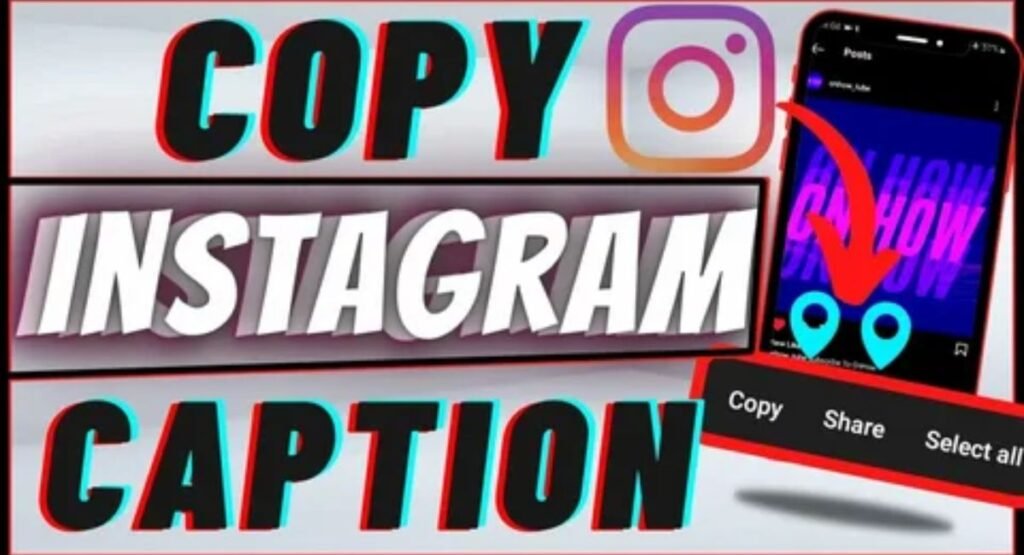
Here’s the truth. Instagram doesn’t put a copy button on other people’s captions in most versions. So you need a small workaround. The good news? It takes about ten seconds. If you want to copy instagram caption text on your phone, the link method works best on both iPhone and Android.
Features change with each app update. So update Instagram first. Some versions let you press and hold a caption to copy it. If yours doesn’t, follow the steps below. They work on nearly every phone.
Copy a caption on iPhone
Start with the three dots on the post. Tap Copy link. Open Safari and paste the link into the address bar. The caption now shows as selectable text. Press and hold a word, drag to highlight the rest, and tap Copy. Prefer a screenshot? Open it in Photos, press and hold the text, and use Live Text to copy it.
Copy a caption on Android
Tap the three dots on the post and choose Copy link. Open Chrome and paste it. Long-press the caption, drag the handles, and tap Copy. You can also take a screenshot and open it in Google Lens. Lens reads the words and lets you copy them to your clipboard.
Copy your own caption from the edit screen
Want to reuse your own words? Tap the three dots on your post. Choose Edit. Tap the caption field and press select all. Then tap Copy. This works fast because it’s your own post. It’s also great for turning an old caption into a new one.
Why Instagram doesn’t show a copy button
Instagram likely wants to protect creators. A locked caption makes copying harder. It also stops easy reposting of someone’s work. That choice can feel annoying. Still, the browser workaround keeps things simple. Always check Instagram’s Help Center for the newest features on your version.
How to Copy an Instagram Caption on Desktop or Web Browser
Using a computer? Good news. Desktop is easier. If you need to copy instagram caption text on a laptop, the website gives you selectable text right away. You don’t need any special tool for this. Open the post, then use your mouse.
Still, some captions fight back. A login wall may appear. The page may load slowly. The text may refuse to highlight. Don’t worry. The fixes below cover each problem.
Copy a caption on instagram.com
Open the post on the site. Click at the start of the caption. Drag your mouse to the end. Press Ctrl+C on Windows or Cmd+C on a Mac. Now paste it in your notes or your post with Ctrl+V or Cmd+V. That’s it.
Copy a caption when the text won’t highlight
First, try the link. Open the post link in a fresh tab. Reload the page. If the text still won’t move, right-click the caption and choose Copy. As a last step, use your phone to scan it with Google Lens. That usually works.
Keyboard shortcuts cheat sheet
Shortcuts save time. Use this small table.
| Action | Windows | Mac |
| Copy | Ctrl+C | Cmd+C |
| Paste | Ctrl+V | Cmd+V |
| Select all | Ctrl+A | Cmd+A |
| Cut | Ctrl+X | Cmd+X |
| Undo | Ctrl+Z | Cmd+Z |
Quick troubleshooting for desktop
Here’s what to try when things go wrong.
| Problem | Quick fix |
| Page won’t load | Refresh or try another browser |
| Text is locked | Open the link in a new tab |
| Login wall appears | Sign in or use the phone app |
| Text won’t highlight | Right-click, then Copy |
Best Tools to Copy Instagram Captions Quickly
The right tools make caption work feel easy. A smart setup saves minutes every day. It also keeps your best captions safe in one place. Choose the tools below based on how you post. A free option works fine for most people.
Don’t stop at copying, though. A custom caption often beats a copied one. It sounds like you. It matches your photo. And it earns more trust from your followers.
Caption generators and AI helpers
An Instagram caption generator writes custom options in seconds. You type a short note about your photo. The tool gives you several choices. Use one as a draft, then personalize it. This is also a smart way to learn how to write Instagram captions in your own style.
Notes apps and clipboard managers
Build your own caption library. Open Apple Notes or Google Keep. Save your top 20 captions. Sort them by theme. On Android, Gboard has a clipboard that holds recent copies. This gives you a quick place to paste from.
Scheduling platforms with caption libraries
Scheduling tools plan your posts ahead. Some include saved captions and hashtags. Pallyy, Later, and Buffer are three popular choices. Each one has a different price and set of features. Check each site for current plans.
| Tool type | Cost | Device | Best for |
| Caption generator | Free or paid | Mobile and desktop | Fresh, custom ideas |
| Notes app | Free | Mobile and desktop | Saving a caption library |
| Clipboard manager | Free or paid | Mostly mobile | Fast pasting |
| Scheduling platform | Paid (some free tiers) | Mostly desktop | Planning posts |
Instagram Caption Copy FAQs
Can I copy a caption on Instagram?
Yes, you can. Tap the three dots on the post, choose Copy link, and open it in a browser. The caption becomes selectable text, so you can highlight and copy it.
How to copy IG caption on iPhone?
Tap the three dots, hit Copy link, and paste it into Safari. Press and hold the caption, highlight it, and tap Copy. A screenshot with Live Text also works.
Why won’t Instagram let me copy and paste a caption?
Instagram doesn’t add a copy button to other people’s captions in most versions. The platform likely wants to protect creators and limit easy reposts. The browser workaround solves it.
How do I copy a caption on a photo?
If the words sit inside the image, take a screenshot. Then use Live Text on iPhone or Google Lens on Android. Both read the text and let you copy it to your clipboard.
How can I easily copy Instagram captions?
The fastest way is to use the Copy link trick and open the post in Chrome or Safari. You can also save your favorite captions in a notes app for quick paste later.
Final Thoughts
You now have 150+ ready-to-post captions and the know-how to copy instagram caption text on any device. Save this page. Test two captions this week. Watch your comments and engagement. Then keep what works and personalize the rest. Happy posting!

I am an SEO Expert and Content Writer with over 3 years of experience in search engine optimization, keyword research, on-page SEO, content strategy, and high-quality content writing. I specialize in creating SEO-friendly, engaging, and valuable content that helps websites improve their search visibility, attract organic traffic, and grow online. My goal is to combine effective SEO strategies with well-written content to deliver long-term results.